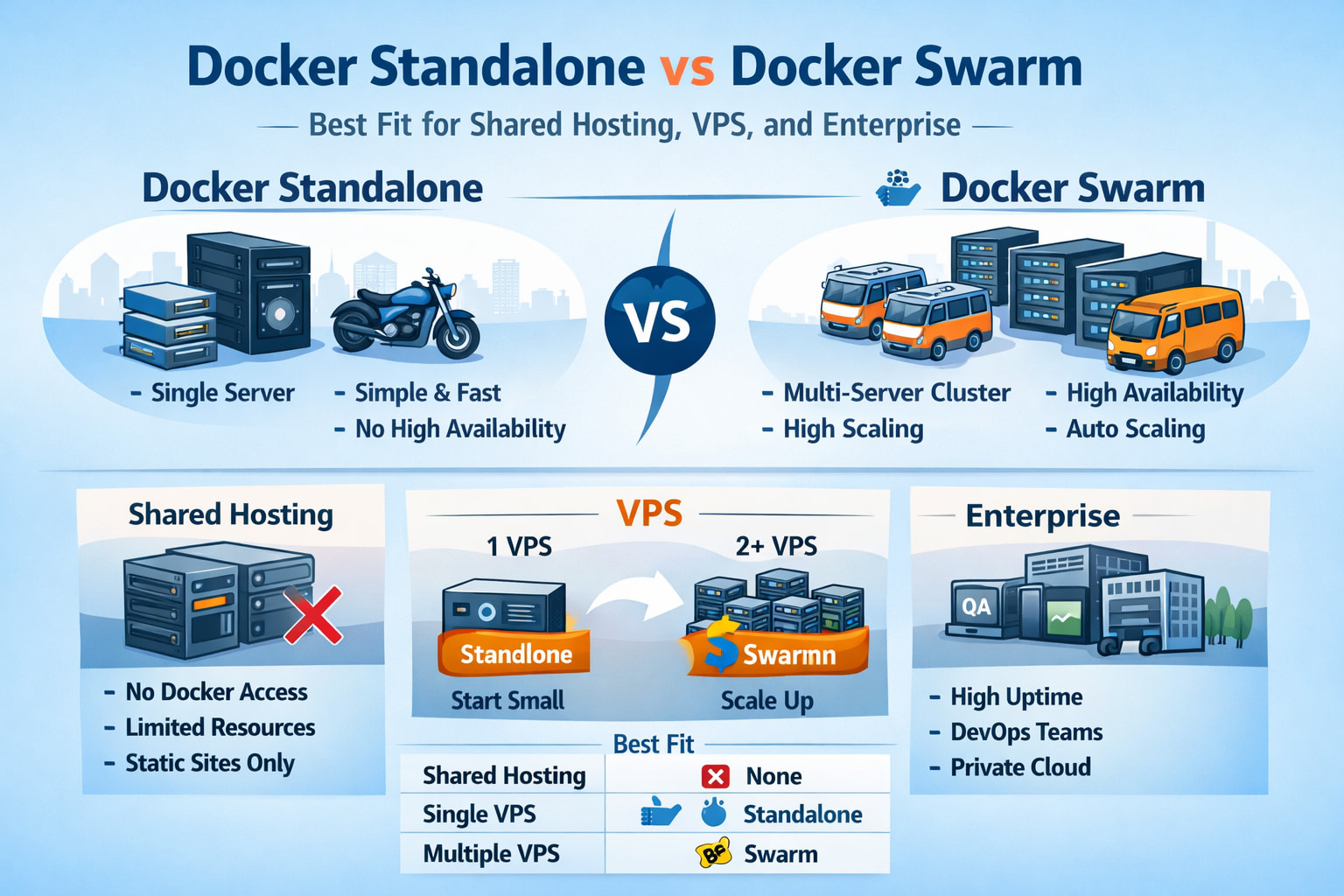
Docker Swarm vs Docker Standalone
A Complete Guide to Choosing the Right Container Deployment Model
Containers have transformed how applications are built, shipped, and deployed. Docker, as the most widely adopted container platform, offers two very different deployment approaches: Docker Standalone and Docker Swarm.
While both use the same Docker engine, their philosophy, architecture, and ideal use cases are worlds apart.
This guide breaks down the differences in depth, explains real-world scenarios, and helps you confidently choose the right option.
What Is Docker Standalone?
Docker Standalone refers to running containers on a single machine using the Docker Engine. Applications are started using commands like docker run or orchestrated with docker compose.
Key Characteristics
- Single host
- No clustering
- Containers run independently
- Minimal abstraction
Docker Standalone is the default Docker experience most users encounter first.
Docker Standalone Architecture
- One server (VM or bare metal)
- One Docker daemon
- Containers share the host’s resources
- Networking is local to the host
If the server goes down, all containers go down with it.
Advantages of Docker Standalone
1. Simplicity
No cluster setup, no managers, no consensus mechanisms. Install Docker and run containers.
2. Low Resource Usage
No orchestration overhead. Ideal for small VPS instances.
3. Fast Setup
From zero to production in minutes.
4. Easy Debugging
Everything lives on one machine, making logs and troubleshooting straightforward.
Limitations of Docker Standalone
1. No High Availability
Hardware failure means total downtime.
2. Manual Scaling
You must start additional containers yourself.
3. No Self-Healing
If a container crashes, it stays down unless you intervene.
4. Single Point of Failure
The host is the Achilles’ heel.
Common Use Cases for Docker Standalone
- Development environments
- Testing and staging servers
- Small business websites
- Personal projects
- Single-server SaaS applications
- CI/CD runners
What Is Docker Swarm?
Docker Swarm is Docker’s native clustering and orchestration solution. It turns multiple Docker hosts into a single logical system.
Instead of managing containers directly, you manage services.
Docker Swarm Architecture
Node Types
- Manager nodes Control the cluster, maintain state, schedule tasks.
- Worker nodes Run containers (tasks).
Core Components
- Built-in load balancer
- Overlay networking
- Distributed state management
- Automatic failover
Applications are deployed as services, not individual containers.
Advantages of Docker Swarm
1. High Availability
If a node fails, containers are automatically recreated on another node.
2. Self-Healing
Swarm continuously checks desired state vs actual state.
3. Native Load Balancing
Traffic is distributed automatically across replicas.
4. Horizontal Scaling
Scale services with a single command:
docker service scale web=5
5. Secrets and Configs
Secure storage for credentials, certificates, and environment variables.
6. Rolling Updates
Deploy updates with zero downtime.
Limitations of Docker Swarm
1. More Complex Than Standalone
Requires understanding clustering concepts.
2. Smaller Ecosystem
Less tooling and community activity compared to Kubernetes.
3. Overkill for Small Projects
Not ideal for single-server deployments.
Feature Comparison Table
| Feature | Docker Standalone | Docker Swarm |
|---|---|---|
| Number of servers | 1 | Multiple |
| High availability |  |
 |
| Auto-healing | |
|
| Load balancing | |
|
| Scaling | Manual | Automatic |
| Secrets management | |
|
| Rolling updates | |
|
| Setup complexity | Very low | Moderate |
Performance Considerations
- Standalone is slightly faster per container due to zero orchestration overhead.
- Swarm introduces minimal overhead but compensates with resilience and scalability.
- For most real-world workloads, the difference is negligible.
Security Comparison
Docker Standalone
- Relies heavily on host security
- Secrets often stored in environment variables or files
Docker Swarm
- Encrypted node-to-node communication
- Encrypted secrets at rest and in transit
- Better separation of concerns
When to Use Docker Standalone
Choose Docker Standalone if:
- You have one server
- Downtime is acceptable
- You value simplicity
- You are just starting with Docker
- Your application is small or medium-sized
When to Use Docker Swarm
Choose Docker Swarm if:
- You have two or more servers
- Uptime matters
- You want automatic failover
- You need easy scaling
- You want orchestration without Kubernetes complexity
Docker Swarm vs Kubernetes (Quick Note)
Docker Swarm sits between:
- Docker Standalone (simple)
- Kubernetes (powerful but complex)
Swarm is ideal when Kubernetes feels like overkill but single-server Docker is no longer enough.
Migration Path: Standalone → Swarm
One of Docker Swarm’s biggest advantages is how easy it is to migrate:
- Start with Docker Standalone
- Use Docker Compose
- Initialize Swarm (
docker swarm init) - Deploy with
docker stack deploy
No major refactor required.
Final Verdict
- Docker Standalone is perfect for simplicity and speed.
- Docker Swarm is ideal for resilience, scaling, and production readiness.
The best choice is not about popularity. It’s about matching your infrastructure to your actual needs.
Start simple. Scale when reality demands it.

