1. Log into your cPanel account. 2. In the "Advanced " section, click on "Cron Jobs "
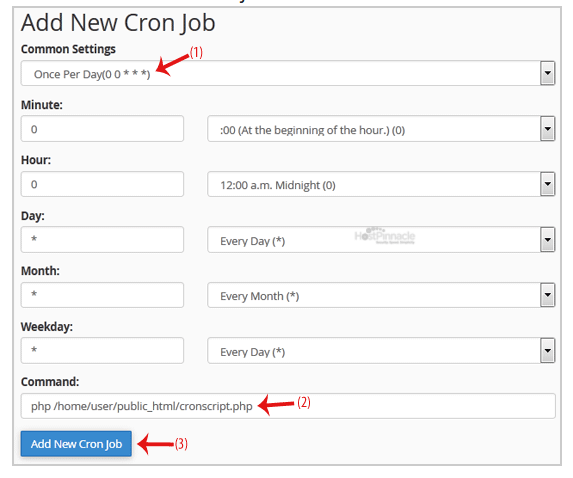
3. Under "Add New Cron Job ", click on the "Common Settings " dropdown menu and select an appropriate option such as "Once Per Day " or another suitable option.
4. Enter your cronjob php file location or the command you want to run in the Command field.
5. Click on the "Add New Cron Job " button.