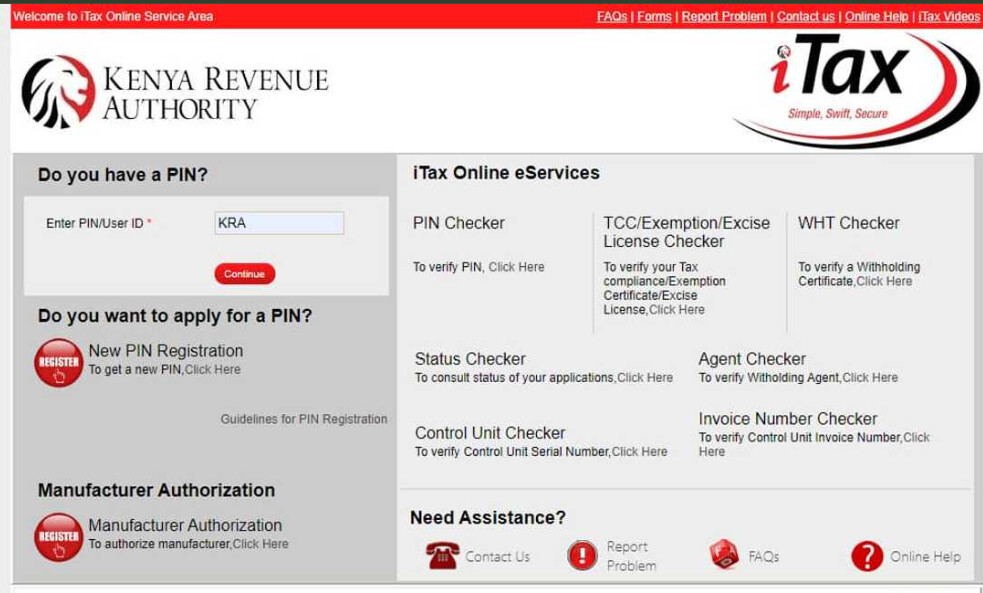
This guide explains who should file NIL returns, the deadline, penalties for not filing, and a clear step-by-step process to complete your NIL return in less than 10 minutes.
Before filing: Make sure your PIN is active and correct.

1. What Are KRA NIL Returns?
NIL returns are filed by people who have a valid KRA PIN but no taxable income during the year. This means:
- You were not employed
- You were not running a business
- You did not receive any income that should be taxed
Even though you did not earn income, KRA still expects you to submit a return to confirm that your income for that period was zero.
2. Who Should File NIL Returns?
You should file a NIL return if:
- You are a student with a KRA PIN but no job.
- You are unemployed and not running a business.
- You registered for a KRA PIN only to open a bank account or apply for HELB.
- Your business was registered but did not operate or earn income.
 If you had any salary, business income, consultancy payments or rental income, you cannot file NIL returns — you must file an income tax return with the correct figures.
3. When Is the Deadline for NIL Returns?
The normal deadline for filing individual income tax returns (including NIL returns) is 30th June of every year for the previous year’s income.
For example:
- Income for 1st January – 31st December 2024 → Return must be filed by 30th June 2025.
4. Penalties for Not Filing NIL Returns
If you do not file your NIL return on time, KRA may charge a penalty of:
- KES 2,000 for individuals, or
- 5% of the tax due (whichever is higher).
These penalties can accumulate across multiple years and affect your ability to get tax compliance certificates, government tenders, or jobs.
5. Step-by-Step: How to File KRA NIL Returns on iTax
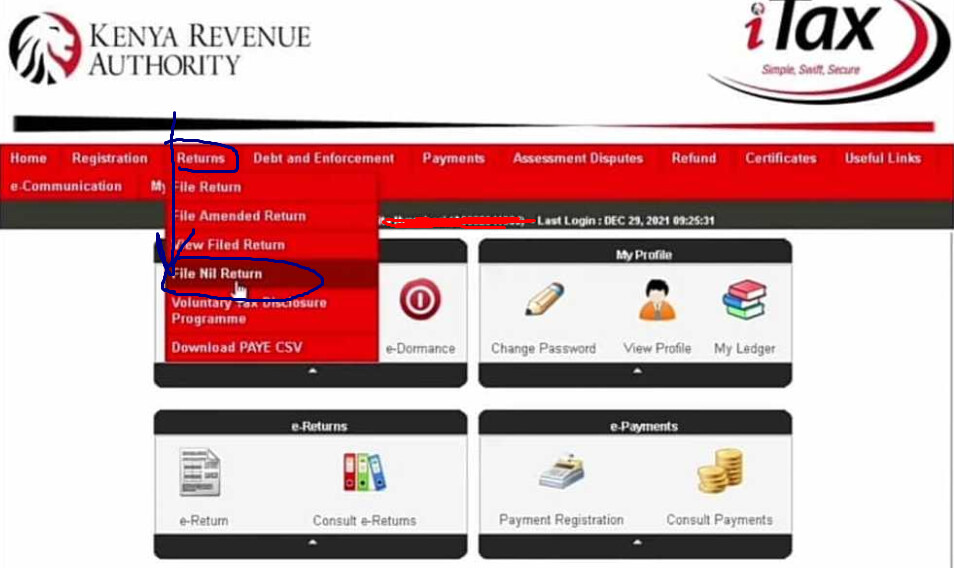
Follow these steps to file your NIL return online:
- Go to the KRA iTax portal: itax.kra.go.ke.
- Enter your KRA PIN or email and password, then log in.
- On the dashboard, click “Returns”.
- Select “File Return”.
- Under tax obligation, choose “Income Tax – Resident Individual”.
- Click Next.
- Enter the return period (usually 1st Jan – 31st Dec of the previous year).
- On the income section, choose the option that confirms you had no income during the year.
- Confirm the declaration page.
- Click Submit.
- Download and save the acknowledgement receipt.
Congratulations — you have successfully filed your NIL return for that year.
6. Common Errors When Filing NIL Returns (and How to Fix Them)
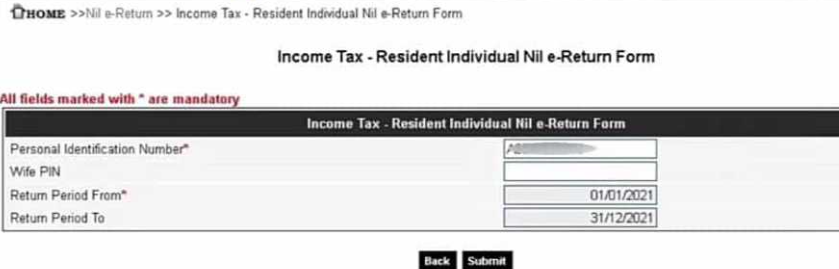
 Error: “Wrong Return Period”
This happens when you select a period that does not match your obligation or you already filed for that year. Choose the correct year (previous calendar year) and try again.
Error: “You Have No Obligation for This Period”
This usually means your PIN was registered after the year you are trying to file. You only file returns from the year your PIN became active going forward.
Error: Account Locked or Wrong Password
Use the “Forgot Password” option on iTax or visit a Huduma Centre to reset your login details.
Error: “Invalid PIN”
Confirm your PIN using a PIN checker. If the tool cannot find your PIN, you may need to contact KRA for help or register afresh.
7. How to Confirm That Your NIL Return Was Filed Successfully
After filing your return, always: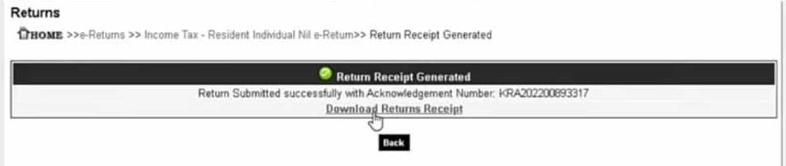
- Download the acknowledgement receipt in PDF format.
- Save it in Google Drive, email, or your phone.
- From the iTax menu, view “Filed Returns” and check the status for that year.
If the return is marked as Filed, you are safe for that year.
8. What If You Missed NIL Returns for Previous Years?
You can still file NIL returns for previous years, but penalties may have already accrued. To regularise your account:
- Log into iTax and file NIL returns for all missing years.
- Generate payment slips for any penalties.
- Pay through bank, M-Pesa, or other approved channels.
9. Frequently Asked Questions
Q: I am a student with a PIN but no job. Do I still file NIL returns? Yes. As long as you have a KRA PIN, you must file a return every year.
Q: Can I file NIL returns using my phone? Yes. The iTax portal works on most smartphones using a browser like Chrome.
Q: I accidentally filed NIL but I had income. What do I do? You must amend your return and file again with the correct income figures.
Q: Do I need a cyber café to file? Not necessarily. You can file from home if you have internet access, but a cyber café can help if you are not comfortable with the process.
**