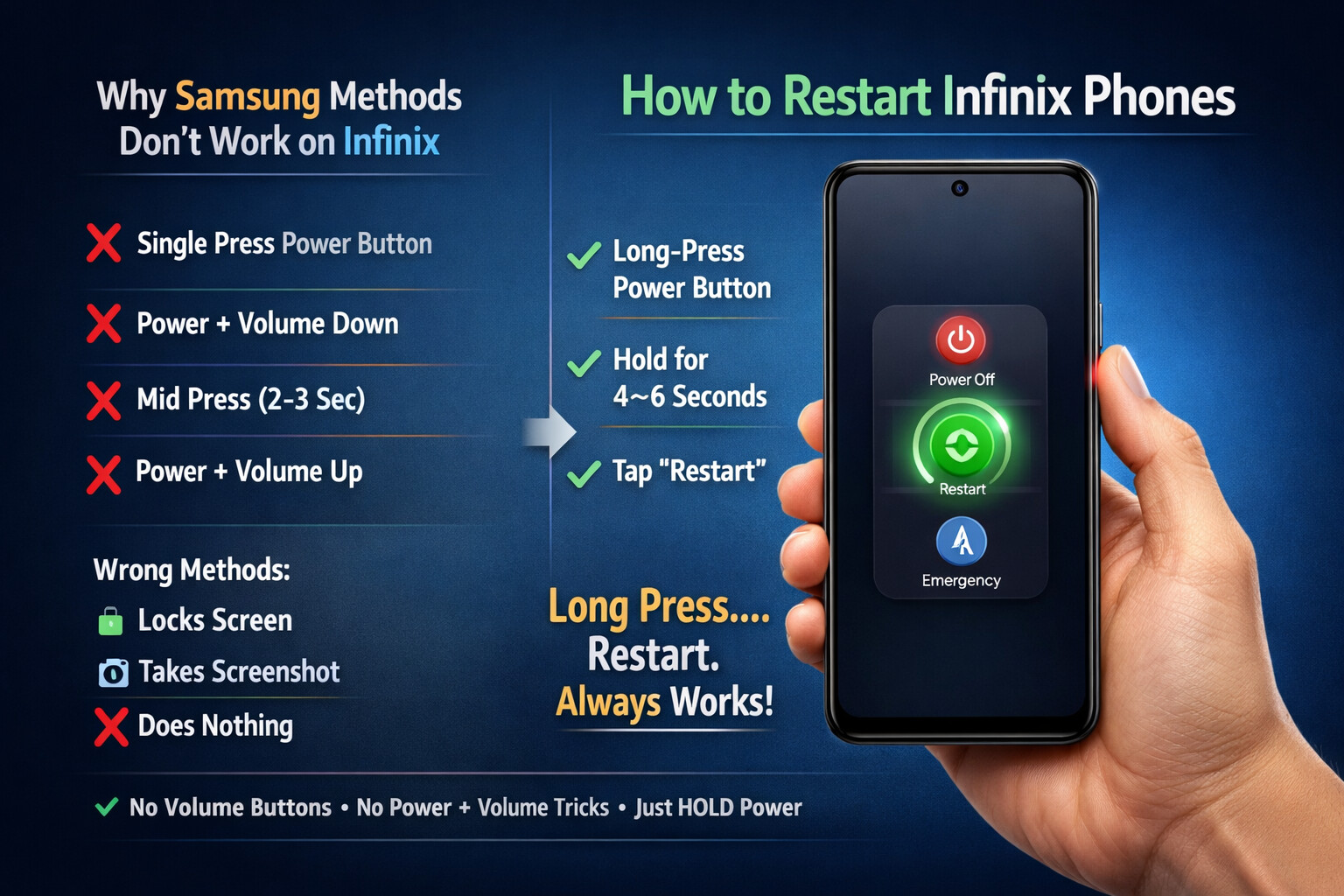
How to Restart Infinix Phones (Why Samsung-Style Power Button Methods Don’t Work)
If you’re coming from a Samsung or similar Android device, restarting an Infinix phone can feel like trying the wrong key in the right lock. Single press. Mid press. Power + Volume Down. Nothing happens.
This guide explains why those methods fail and the only reliable way to restart Infinix smartphones running modern XOS versions.
The Core Difference: Infinix vs Samsung Button Logic
Many Android users are used to Samsung behavior:
- Short press Power → screen off
- Power + Volume Down → power menu or restart
- Mid press → quick actions
On Infinix, that logic does not apply.
Why?
Infinix devices running XOS (Android 12, 13, 14) intentionally simplify the power controls:
- The Power button is single-purpose
- Volume combinations are reserved for screenshots or recovery
- Assistant shortcuts are handled differently
As a result, Samsung-style combinations are ignored.
What Does NOT Work on Infinix (Common Mistakes)
These methods will not restart most modern Infinix phones:
 Single tap Power button
- Mid-length press (2–3 seconds)
- Power + Volume Down (Samsung habit)
- Power + Volume Up (unless customized)
If you try these, the phone either:
- Locks the screen
- Takes a screenshot
- Does absolutely nothing
 The Only Reliable Method That Works
Long-Press the Power Button
This is not optional on Infinix. It is the design.
Steps:
- Press and hold the Power button
- Keep holding for 4–6 seconds
- The Power Menu appears
- Tap Restart (or Reboot)
- Confirm if prompted
That’s it. No volume buttons. No timing tricks.
Think of it less like a shortcut and more like knocking until the door actually opens 
What If the Phone Is Frozen?
If the screen is unresponsive:
Force Restart
- Press and hold the Power button for 10–15 seconds
- The phone will shut down and reboot automatically
This does not erase data. It simply forces the system to reset.
Why Infinix Designed It This Way
Infinix optimized XOS for:
- Fewer accidental shutdowns
- Simpler user actions
- Reduced button wear
- Clear separation between screenshots and power controls
It may feel unfamiliar, but once learned, it’s consistent across:
- Infinix Note series
- Infinix Zero series
- Infinix Hot series
- Infinix Smart series
Final Takeaway
If you’re using an Infinix phone and restart options seem “missing”, nothing is broken.
You’re just using Samsung muscle memory on an Infinix system.
 Rule to remember:
Long press the Power button. Always.
Rule to remember:
Long press the Power button. Always.
Once you follow that rule, the power menu appears every time.