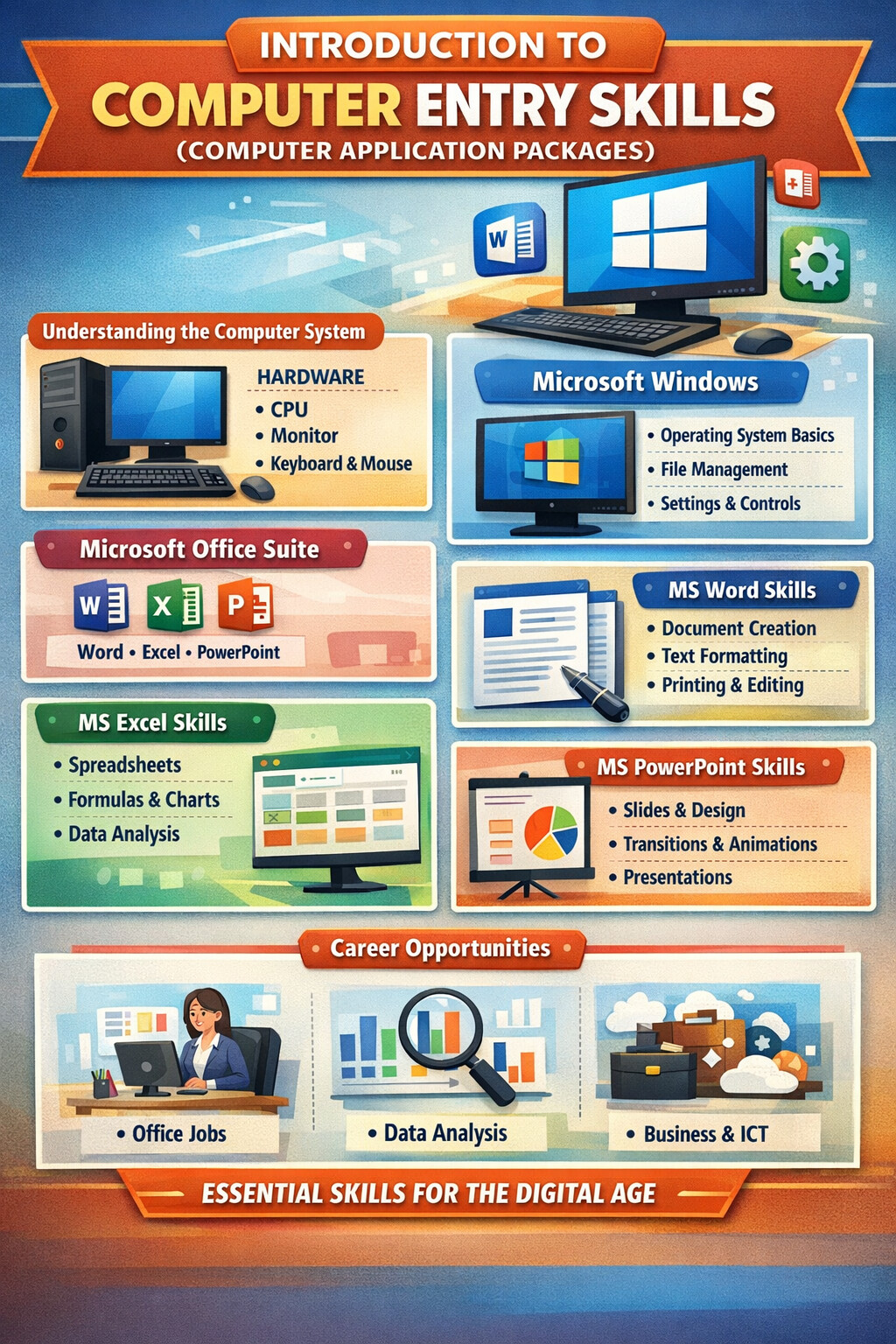
Introduction to Computer Entry Skills
(Popularly Known as Computer Application Packages)
1. Overview of Computer Entry Skills
Computer Entry Skills refer to the foundational knowledge and practical abilities required to operate a computer efficiently in academic, professional, and everyday environments. These skills are commonly taught under Computer Application Packages, focusing on the Microsoft Windows operating system and the Microsoft Office Suite.
In today’s digital economy, computer literacy is no longer optional. Basic proficiency in computer applications is a minimum requirement for employment, education, entrepreneurship, and service delivery across nearly all sectors.
2. Understanding the Computer System
Before engaging with software applications, learners must understand the basic components of a computer system.
2.1 Hardware Components
- System Unit (CPU): Processes data and executes instructions
- Monitor: Displays visual output
- Keyboard & Mouse: Primary input devices
- Storage Devices: Hard disks, SSDs, flash drives
- Peripheral Devices: Printers, scanners, speakers
2.2 Software Components
- System Software: Operating systems (e.g., Microsoft Windows)
- Application Software: Programs used to perform tasks (e.g., MS Word, Excel)
3. Microsoft Windows Operating System
3.1 What Is Microsoft Windows?
Microsoft Windows is a Graphical User Interface (GUI)-based operating system that allows users to interact with computer hardware and run application software.
3.2 Key Features of Windows
- Desktop environment
- Start Menu and Taskbar
- File Explorer for file management
- Multi-tasking support
- User accounts and security controls
3.3 Basic Windows Skills
Learners are expected to master:
- Starting and shutting down a computer correctly
- Using the mouse and keyboard efficiently
- Managing files and folders (create, rename, copy, move, delete)
- Installing and uninstalling applications
- Using basic system settings (date/time, display, sound)
4. Introduction to Microsoft Office Suite
The Microsoft Office Suite is a collection of productivity applications widely used in offices, schools, and businesses.
Common Applications Include:
- Microsoft Word – Word processing
- Microsoft Excel – Spreadsheets and data analysis
- Microsoft PowerPoint – Presentations
- Microsoft Access – Database management (introductory level)
- Microsoft Outlook – Email and scheduling (basic awareness)
5. Microsoft Word – Word Processing Skills
5.1 Purpose of MS Word
MS Word is used to create, edit, format, and print text-based documents.
5.2 Key Skills Taught
- Creating and saving documents
- Text formatting (fonts, size, color, alignment)
- Paragraph formatting and spacing
- Page setup (margins, orientation, headers/footers)
- Tables, images, and shapes
- Spell check and grammar tools
- Printing documents
5.3 Practical Applications
- Letters and reports
- CVs and job applications
- Assignments and proposals
- Official documentation
6. Microsoft Excel – Spreadsheet Skills
6.1 Purpose of MS Excel
Excel is used for data entry, calculations, analysis, and reporting.
6.2 Core Skills Covered
- Workbook and worksheet navigation
- Data entry and formatting
- Basic formulas and functions (SUM, AVERAGE, COUNT)
- Sorting and filtering data
- Charts and graphs
- Basic financial and statistical calculations
6.3 Practical Applications
- Budgeting and accounting
- Student results and grading
- Inventory and stock management
- Business records and reports
7. Microsoft PowerPoint – Presentation Skills
7.1 Purpose of MS PowerPoint
PowerPoint is used to design and deliver visual presentations.
7.2 Key Competencies
- Creating slides and layouts
- Inserting text, images, charts, and media
- Applying themes and design templates
- Slide transitions and animations
- Presentation setup and delivery
7.3 Practical Applications
- Class presentations
- Business pitches
- Training sessions
- Project proposals
8. Introduction to Data Management (MS Access – Basic)
At entry level, learners are introduced to basic database concepts:
- Understanding tables, records, and fields
- Simple data entry forms
- Awareness of how databases support business systems
This builds a foundation for advanced ICT and information systems training.
9. Importance of Computer Application Packages
9.1 Academic Value
- Enhances research and assignment preparation
- Improves presentation and documentation skills
9.2 Professional Value
- Increases employability
- Supports office productivity
- Required in administration, finance, ICT, and education roles
9.3 Business and Entrepreneurship
- Enables digital record keeping
- Improves communication and reporting
- Supports online business operations
10. Career Relevance of Computer Entry Skills
Computer application packages form the foundation for advanced ICT careers, including:
- Office administration
- Accounting and finance
- Data analysis
- Software training
- Business management
- Cloud and digital services
They also act as a prerequisite for advanced studies in programming, networking, databases, and information systems.
11. Conclusion
Computer Entry Skills, commonly referred to as Computer Application Packages, provide essential knowledge in Microsoft Windows and the Microsoft Office Suite. These skills empower learners to interact confidently with technology, improve productivity, and adapt to modern digital environments.
For students, job seekers, and professionals alike, mastering these foundational skills is a critical step toward digital competence, career growth, and lifelong learning.