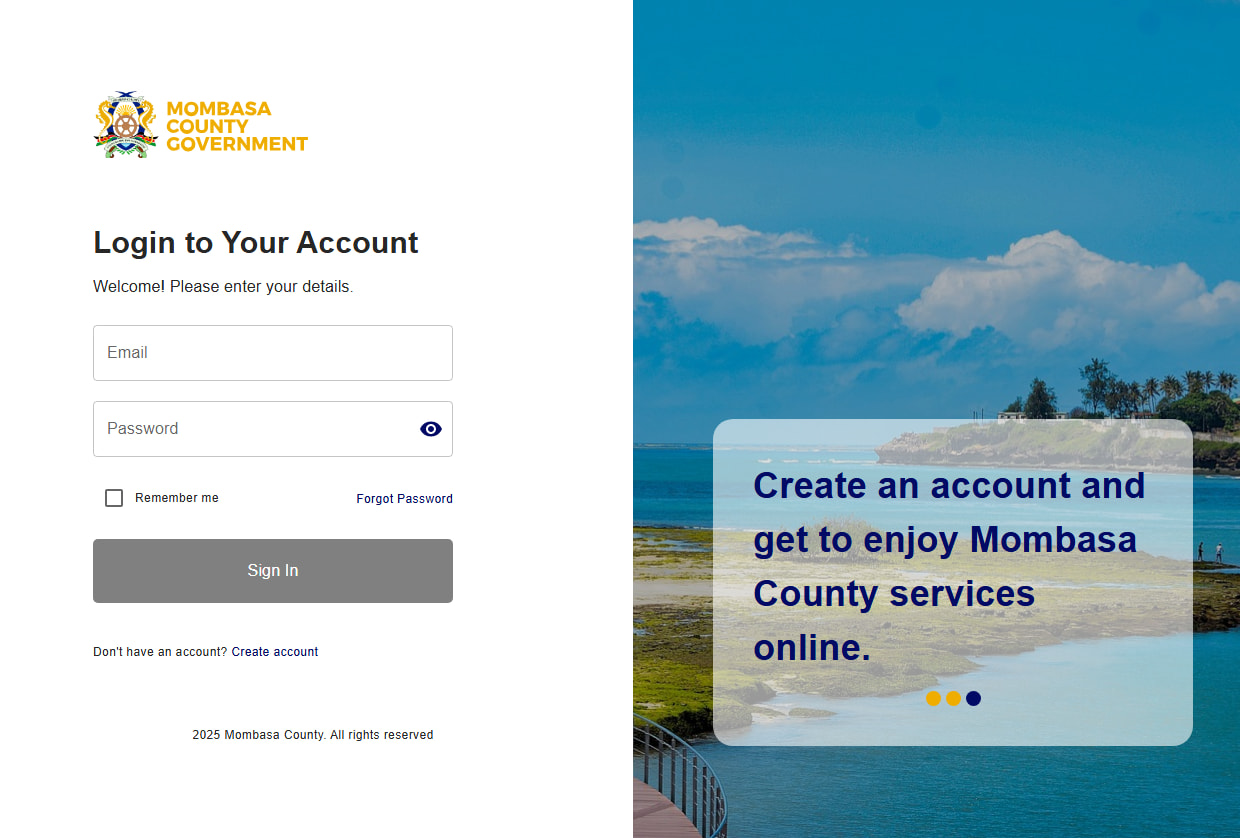
Mombasa County has officially transitioned its digital services from the national eCitizen platform to its own dedicated portal:
**
https://eservices.mombasa.go.ke/
**
This move is part of the county’s effort to improve service delivery, streamline operations, and provide a more localized digital experience for residents and businesses.
 What Happened to Existing Users?
If you previously accessed Mombasa County services via eCitizen:
- Your account has already been migrated to the new system
- Your registered email address remains the same
- However, you must reset your password to access your account on the new platform
 Steps to Access Your Existing Account
- Visit: https://eservices.mombasa.go.ke/
- Click on “Forgot Password”
- Enter your registered email address
- Check your email for the reset link
- Create a new password
- Log in and continue using services
 New Users Registration
If you are new to the system:
- Simply click on “Register”
- Fill in your personal or business details
- Verify your email
- Set your password and log in
No migration or special steps are required for new users.
 Why the Change?
The shift from eCitizen to a county-managed platform offers several benefits:
- Faster service delivery
- Improved system reliability
- Better support for local services
- Enhanced user experience tailored to Mombasa residents
 Key Tips
- Use the same email you used on eCitizen
- Always check your spam/junk folder for password reset emails
- Choose a strong, secure password
- Keep your login details safe
 Need Help?
If you experience issues accessing your account:
- Ensure your email is correct
- Try resetting your password again
- Contact Mombasa County support